
Embeds & URL Previews in Comments
To enable this feature for your site, contact your dedicated Viafoura Customer Success Manager or submit a request via the support portal.
Allow users to enrich their comments with links displayed as interactive embeds or rich URL preview cards, enabling readers to engage with supported content directly or assess the context of a link before opening it.
When 'Show link previews & embeds' is enabled for the site, users can include a URL when posting a comment or reply. The URL remains visible as an active hyperlink, while the content displayed beneath the comment depends on the linked destination.
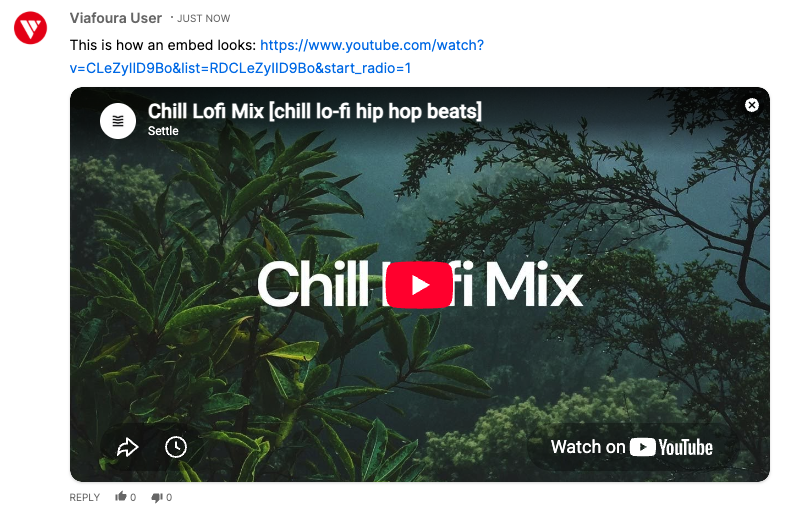
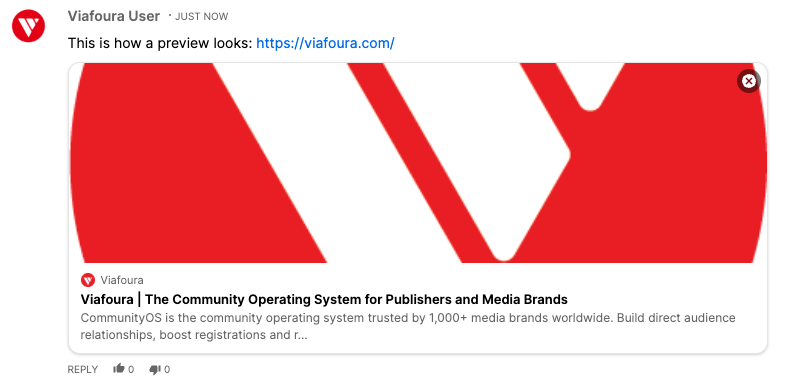
Embeds and URL Previews
Embeds and URL previews provide different ways of presenting linked content:
- Embeds allow readers to view or interact with supported external content directly within the comment, without opening it on a separate page
- URL previews provide a visual summary of the linked webpage using available metadata. Readers can review this information before deciding whether to open the link.
Embed and Preview Availability
Depending on the linked source and the information it provides, a URL may appear as either an interactive embed or a rich preview card.
The format and information displayed may vary between websites and content providers. Some links may support interactive content, while others may display available details such as a title, description, thumbnail, and source domain.
If the linked source does not provide the required information, or restricts Viafoura from retrieving it, the embed or preview may contain fewer details or may not be generated. Content displayed in embeds and previews is retrieved from the linked source and is not written or controlled by Viafoura.
Note: Viafoura displays a maximum of one embed or preview per comment or reply. When multiple URLs are included, the embed or preview is generated from the first URL entered in the comment text. Any additional URLs remain visible as active hyperlinks.
Removing an Embed or Preview
Users can dismiss an embed or preview card when creating or editing a comment, or after the comment has been published, without removing the URL from the comment text.
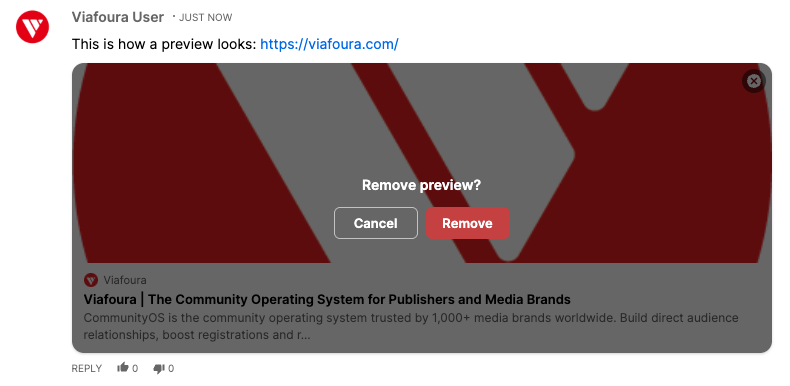
When a user confirms the removal:
- The embed or preview is removed from the comment
- The URL remains visible as an active hyperlink
- The embed or preview is no longer visible

Note: Dismissing an embed or preview does not remove the URL from the comment or change where the link directs users.
Restoring a Removed Embed or Preview
A removed embed or preview does not automatically reappear.
To generate it again, the user must:
- Edit the comment and paste or re-enter the URL
Re-entering the URL triggers the embed or preview to be generated again (provided URL Previews and Embeds is enabled for the site).
Viewing Embeds and URL Previews in the Moderation Console
Comments containing URLs will continue to appear in the Moderation Console as they do today. Moderators can review the comment text and URL and apply the same moderation actions and workflows currently used for links.
Embeds, preview cards, and their fetched content are not currently displayed in the Moderation Console. This includes:
- Interactive embedded content
- Preview thumbnails
- Page titles
- Page descriptions
- Source information
Important: Embeds and URL previews are only displayed within the commenting experience and currently do not appear in the Moderation Console. If a linked source contains inappropriate embedded content, thumbnails, titles, or descriptions, that content may be visible to users in the comment without being visible to moderators in the Moderation Console.
Sites are responsible for applying appropriate moderation policies and controls to comments containing URLs. Enabling URL Previews and Embeds does not introduce additional visibility or moderation capabilities within the Moderation Console.
Updated 3 months ago